Hierarchy view in GitHub Projects is now generally available
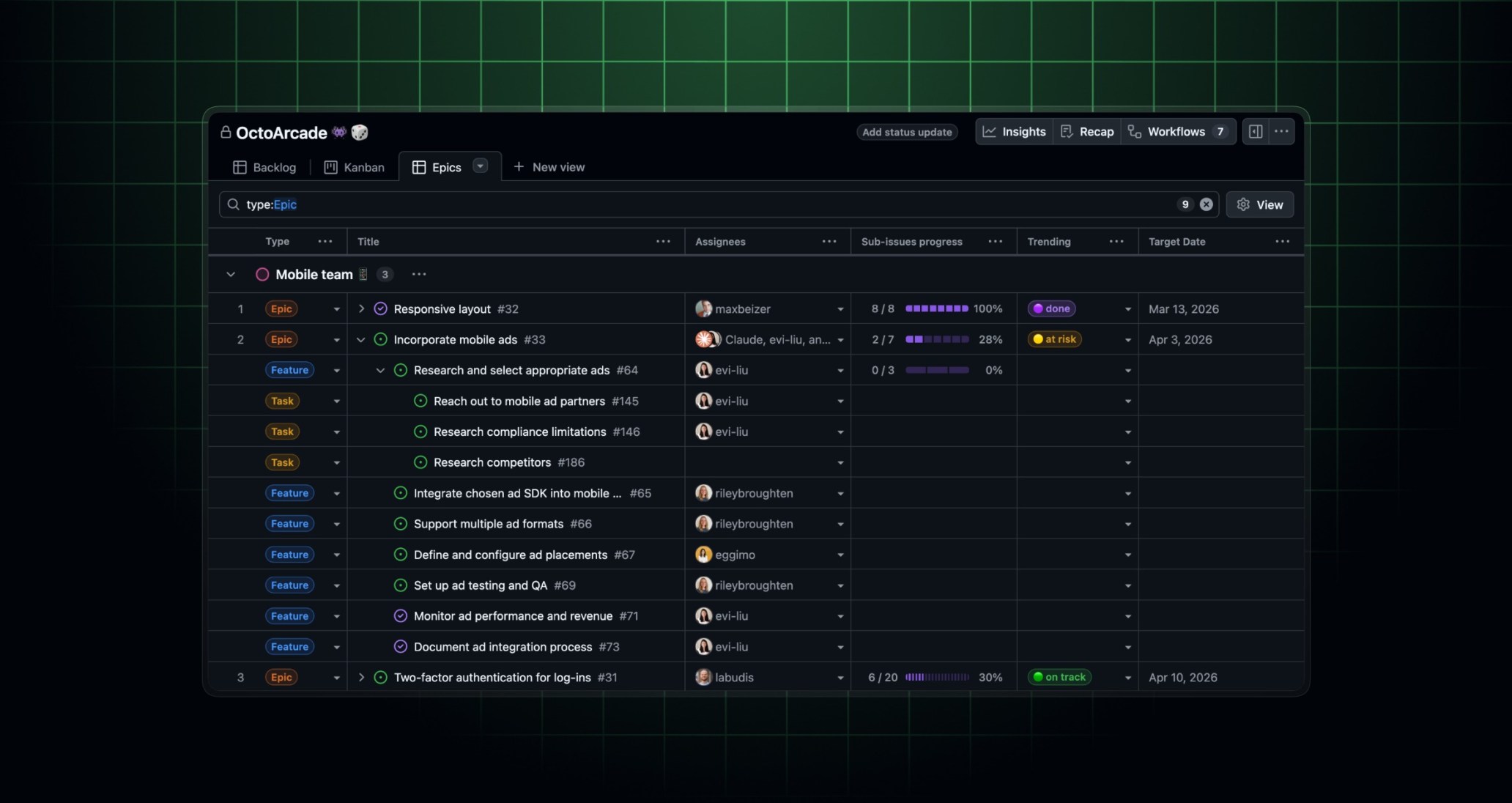
Hierarchy view in GitHub Projects is now generally available. Starting today, hierarchy view is enabled by default for all new project views. If you have existing views, you can turn it on from the View menu by toggling Show hierarchy.
Since our last release, we’ve also shipped several improvements and bug fixes:
- Improved discoverability of sub-issue filters: Sub-issue specific filters are now easier to find in the filter suggestion bar.
- Auto-apply filters to sub-issues: When sub-issues are added to a filtered view, we now attempt to automatically apply matching filters.
We’ve also made multiple accessibility improvements for a better overall experience.
For feedback or questions, join the discussion in GitHub Community.
Additional improvements to issues and projects
Assign Copilot via issue templates
You can now auto-assign Copilot to issue templates. To get started, add @copilot to the assignees field in your issue template.
This works for users with write access to the repository who are allowed to assign Copilot.
Blank issues for maintainers
Users with triage, write, or admin access can now create blank issues even when blank_issues_enabled: false is configured in the repository’s issue template settings. The Blank issue option will appear in the template picker for these users automatically, while contributors without write access continue to be guided by templates.