Release
Repository dashboard is now generally available
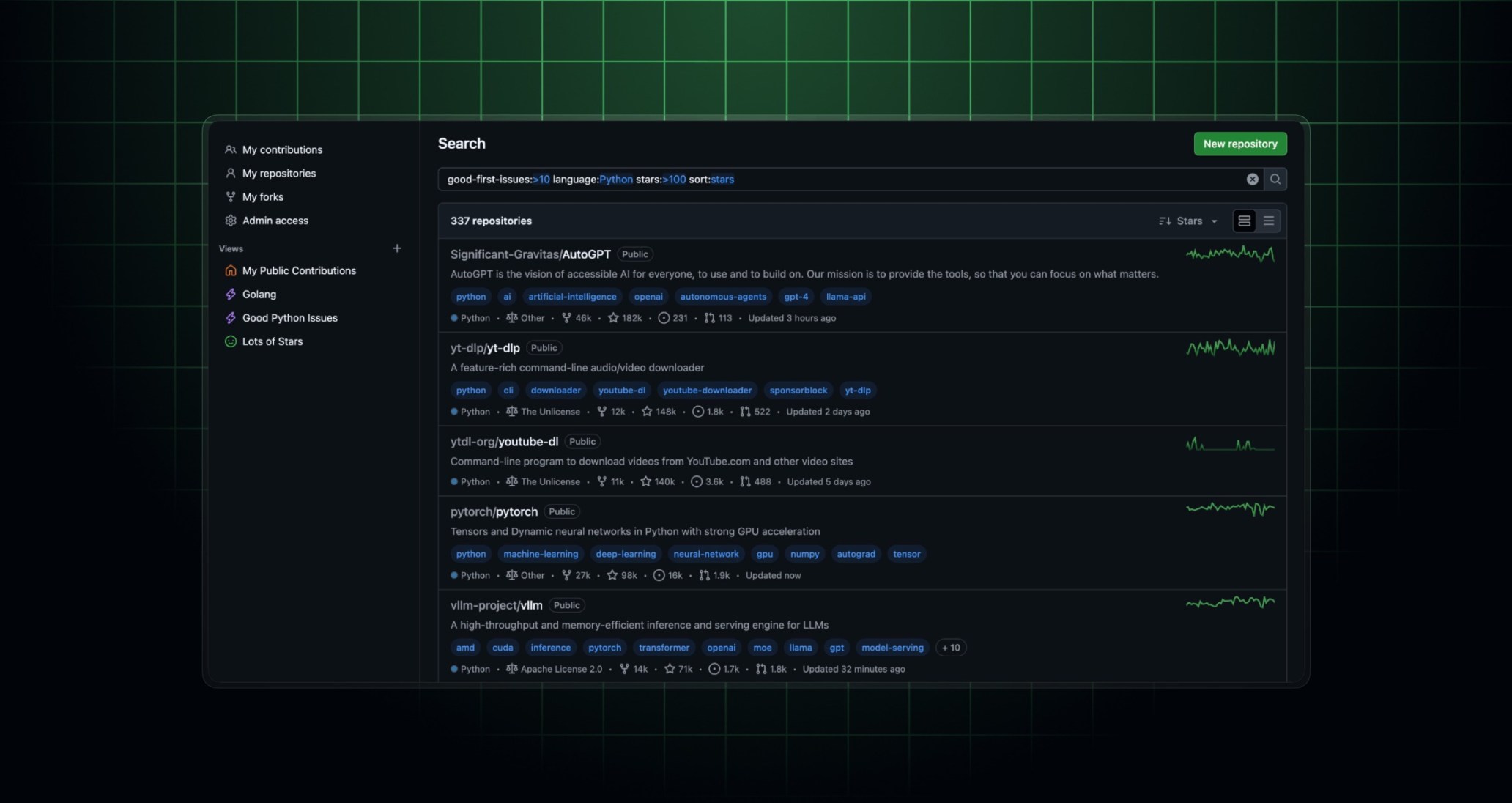
The repository dashboard is now generally available. Originally introduced in public preview, the dashboard makes it easy to find, filter, and save custom views of repositories you have access to.
What’s new in general availability
This release introduces two additions:
- Admin Access view: A new built-in view surfaces all repositories where you have admin permissions, making it easier to manage settings and configurations across your projects.
- Command palette integration: You can now open the repository dashboard directly from the GitHub command palette for faster navigation without leaving your current workflow.
How to access the dashboard
You can reach the repository dashboard in several ways:
- Visit github.com/repos directly.
- Click the repositories icon in the top global navigation bar.
- Navigate the left-hand navigation menu and select Repositories.
- Open the command palette and search for “Repositories.”
Key features
- Discover repositories in one place: Find any repository you’ve contributed to or have access to, from personal projects to enterprise codebases.
- Start with curated views: Access the repositories you care about most with default views including
My contributions,My repositories,My forks, andAdmin access. - Zero in with filtering: Refine your search using filters like
visibility,language,organization, and more. Sort by relevance to surface the repositories where you’re most active. - Save custom queries: Bookmark custom filters and instantly return to the repository views that matter most to your workflow.
Visit the repository dashboard to get started, and join the discussion in GitHub Community to share your feedback.