Dungeons & Desktops: Building a procedurally generated roguelike with GitHub Copilot CLI
Learn how one Hubber used GitHub Copilot CLI to build an extension that turns any codebase into a unique, roguelike dungeon.
I got nerd-sniped into the GitHub Copilot CLI Challenge and made a questionable decision: I turned my codebase into a roguelike dungeon.
It started with a simple prompt: Build a GitHub CLI extension in Go that takes the current repository and turns it into a playable roguelike dungeon, with dungeons generated with BSP [snip]. And then /yolo .
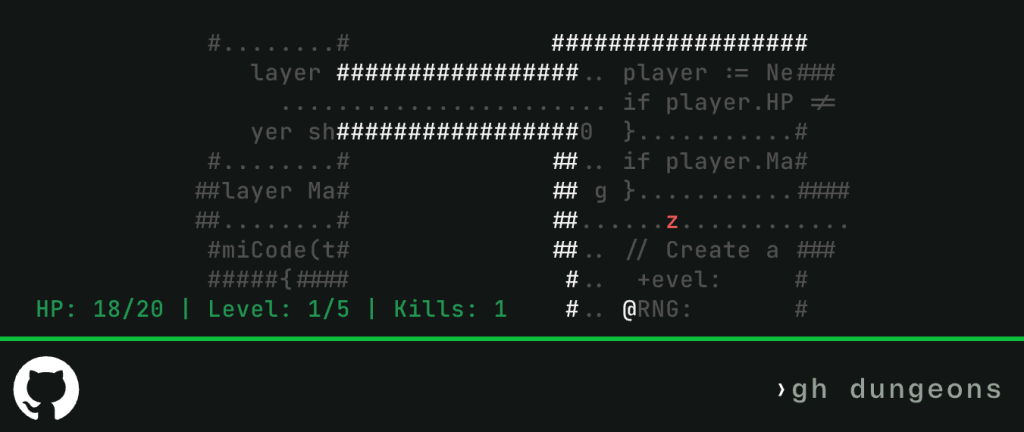
The result is GitHub Dungeons, a terminal game that generates a dungeon from your codebase. Rooms, corridors, and enemies, all built from your repo and rendered right in your terminal. You navigate with arrow keys, fight bugs, and hunt for the exit. Every repository produces a different map. Every commit reshapes the layout. And if your HP hits zero, you start over.
💡 Fun fact: /yolo (“you only live once”) is a Copilot CLI command (an alias for /allow-all). Fitting, since roguelikes are built around permadeath. You really do only get one life.
Roguelikes trace back to games like Rogue in the 1980s – terminal-based adventures where each run generated a new dungeon, and death meant starting over.
That combination of procedural generation, permadeath, and text-based interfaces (later formalized in things like the “Berlin Interpretation”) makes the genre feel surprisingly modern, and a perfect fit for the command line.
GitHub Dungeons leans into that tradition. It’s written in Go, which I don’t normally use, but working with Copilot meant I could focus on behavior instead of syntax.
What is procedural generation?
Procedural generation (or “procgen” as the cool kids call it) is a way of creating content algorithmically instead of designing it by hand. In games, that usually means levels, maps, enemies, or items are generated at runtime using a set of rules plus a bit of randomness.
So instead of designing one dungeon, you design a system that generates many.
That’s what gives roguelikes their replayability:
- Every run is different
- Layouts change every time
- Something
- Something
In GitHub Dungeons, that system is tied to your repo. The layout is seeded by your latest commit, so the same code produces the same dungeon, and every change reshapes it.
So how does a repository actually become a dungeon?
At a high level, GitHub Dungeon layouts are generated using Binary Space Partitioning (BSP), seeded by your repository’s latest commit SHA (more on BSP in a bit). That means the same codebase produces a consistent layout, while still evolving as the code changes.
In practice:
- The same commit always generates the same map
- Different repositories produce layouts that feel structurally distinct
- As the code changes, the dungeon evolves with it
It’s procedural generation—but tied directly to your codebase. That’s the idea.
The interesting part was actually building it.
Building it with Copilot CLI
Working with GitHub Copilot CLI meant describing behavior instead of writing everything from scratch. One command that made a big difference was /delegate. Instead of just generating code inline, /delegate hands the task off to GitHub’s Copilot coding agent running in the cloud.
I could describe what I wanted in plain English, kick it off, and then go do something else while it worked independently. When it finished, it opened a pull request with the results.
For example,/delegate Make each level progressively harder e.g. on level 2 there are extra baddies, but more health potions
Copilot generated a solid first pass asynchronously, and I reviewed and tweaked the PR from there until the balance felt right. I took the same approach to other features like adding cheat codes that make the player invincible (because why not).
I even had Copilot generate a “dungeon scribe” agent, a small helper that added documentation and ASCII art diagrams to explain how dungeons were generated, which felt very on-brand for a terminal roguelike.
I even had Copilot generate a dungeon scribe agent to create documentation and explain how dungeons were generated with ASCII art diagrams, which felt very on-brand for a terminal roguelike.
Using Copilot (especially with
Lee Reilly, Dungeon Master/delegate) is like having an army of NPCs available to do whatever I want them to do.
Working this way (describing features, delegating them to Copilot, and reviewing the resulting pull requests) meant I could spend less time on edge cases and boilerplate, and more time on the player experience, including adding easter eggs for players to discover. Iterating with Copilot let me stay in a game design mindset instead of constantly switching into implementation details. Because Copilot was handling most of the build and scaffolding, I could stay in the flow of designing mechanics, testing ideas, and figuring out what actually made the game fun.
Procedurally generated levels (with BSP)
At the heart of each dungeon design is a technique called Binary Space Partitioning (BSP), which is a great thing to casually mention alongside middle-out compression if you want to impress your friends and colleagues. It sounds intimidating, but the idea is surprisingly simple: keep splitting a space into smaller chunks until you have a bunch of rooms you can connect.
Why BSP works so well for roguelikes
Roguelikes need maps that feel:
- Structured (not completely random nonsense)
- Replayable (different every run)
- Navigable (no dead ends or impossible layouts)
BSP hits a sweet spot. It gives you:
- Clean, rectangular rooms
- Guaranteed connectivity
- Just enough randomness to feel organic
Here’s how it works…
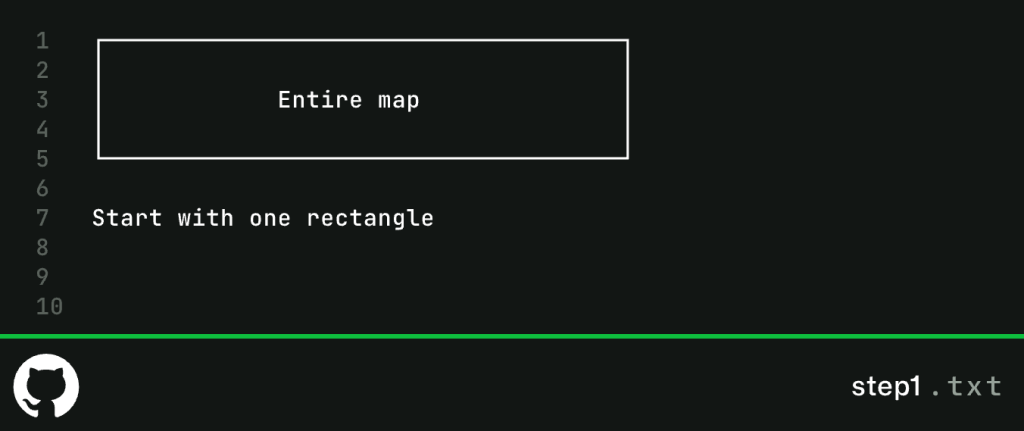
1. Start with a big empty space
Everything begins as one big rectangle: your entire dungeon.
2. Split it (recursively)
We split the space into two regions.
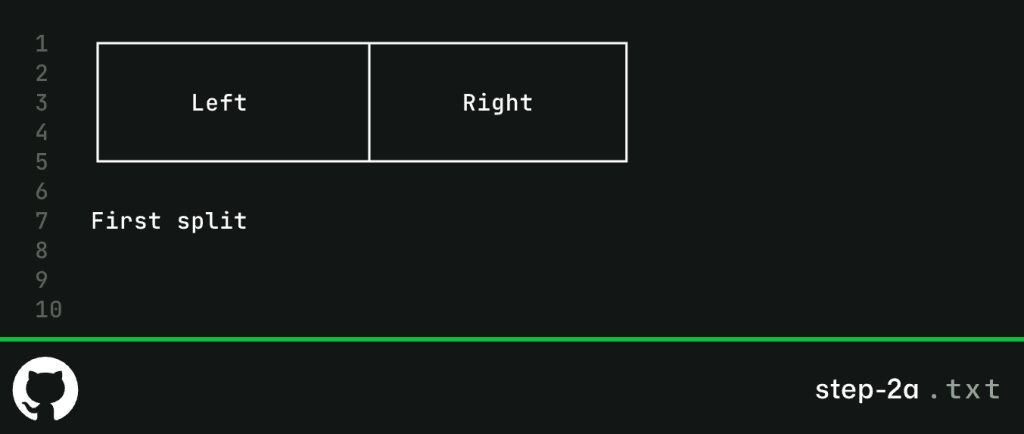
Then split those again.
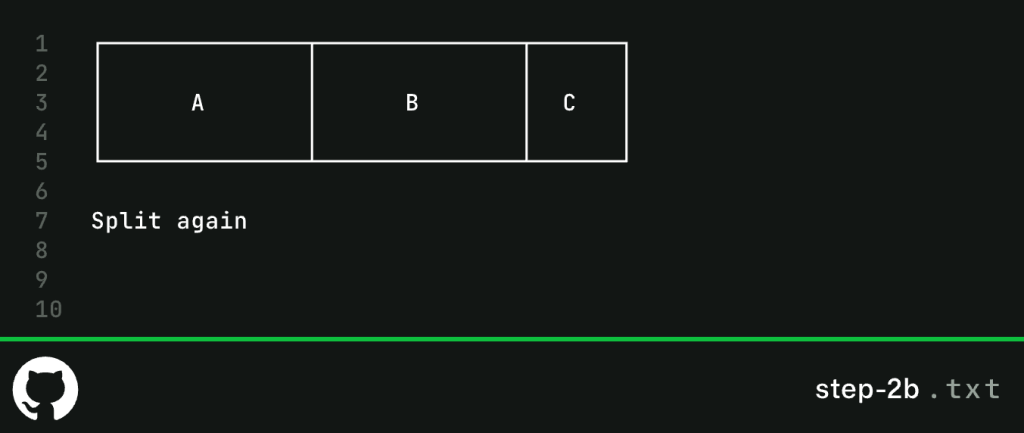
And again.
Each split can be horizontal or vertical.
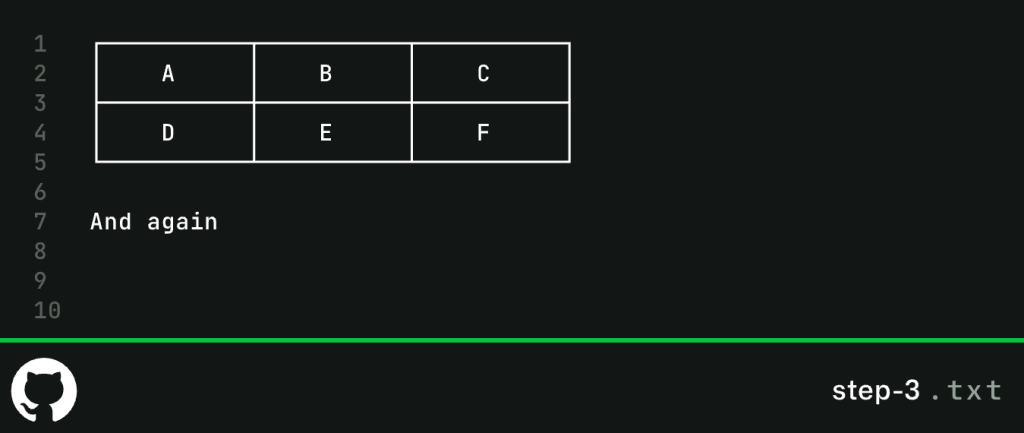
3. Stop when it gets too small
We keep splitting until regions are too small to fit a room.
That creates a bunch of “leaf” regions, the final building blocks.
4. Turn each region into a room
Each leaf becomes a room, but not perfectly aligned. We randomize size and position slightly.
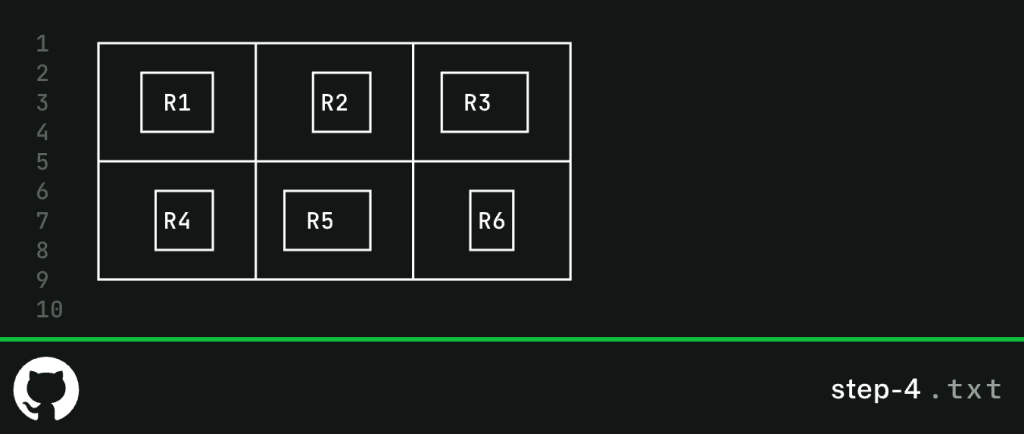
That slight randomness is what stops everything feeling too grid-like.
5. Connect rooms with corridors
Now we connect rooms by walking back up the tree and linking siblings.
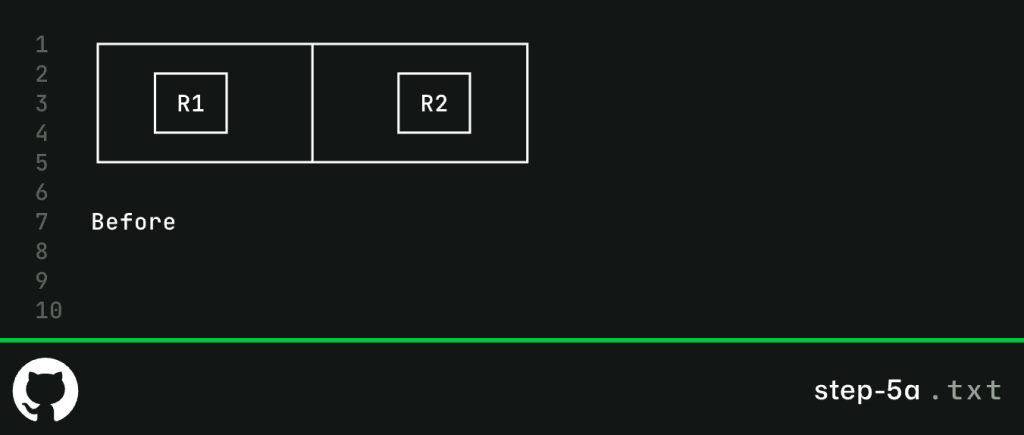
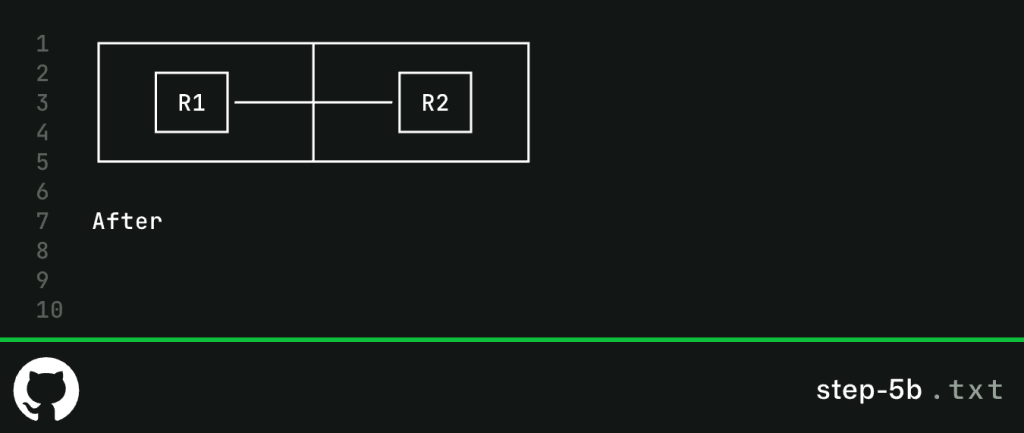
Each connection is an L-shape:
6. End result: structured chaos
Put it all together and you get something like this:
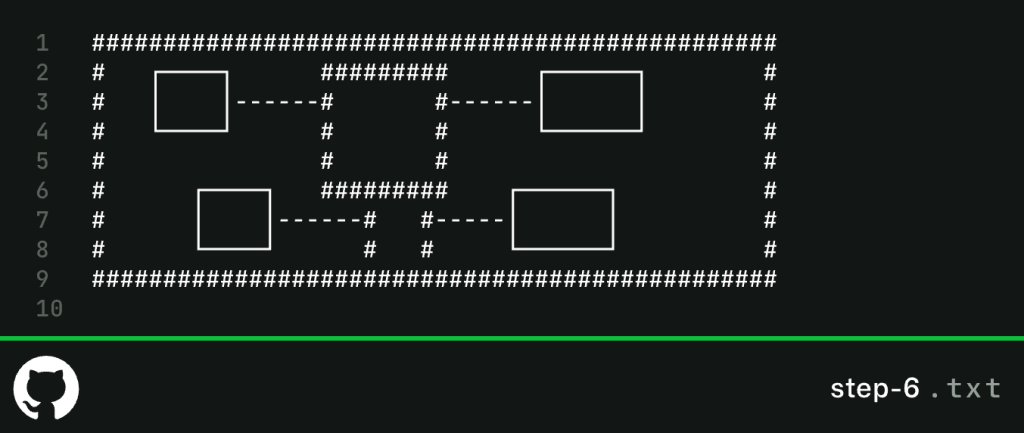
- Rooms feel intentional
- Corridors make everything reachable
- Every run is different (but reproducible with a seed)
Why this lands so well
What I like about BSP is that it feels designed, even though it isn’t.
It avoids the two big problems of procedural generation: pure randomness (messy), and rigid grids (predictable, boring). Instead, you get something in between… and sometimes beautiful.
How to install and play it
If you want to see what your own codebase looks like as a dungeon, and you already have GitHub Copilot CLI installed, you can run:
gh extension install leereilly/gh-dungeons After that, run gh dungeons to transform your repository into a custom dungeon, ready to be conquered. Control your hero with WASD, arrow keys, or Vim keys.
Your goal is to find the hidden door and escape from (and attack!) enemies over five levels. I’ve added fun features like fog of war that limit visibility, auto-attack, ability to track stats like kills and conquered levels, and more that you’ll have to discover yourself.
Danger zone!
If you’re feeling reckless, play it on crazy mode: you can set up a pre-commit hook that deletes your saved changes unless you beat the entire game.
⚠️ WARNING: Do not do this unless you fully understand what this will do to your repository, you’ll lose saved work and probably some sanity as well.
# Create the pre-commit hook
cat > .git/hooks/pre-commit << 'EOF'
#!/bin/bash
gh dungeons
if [ $? -ne 0 ]; then
    echo "You died! Your changes have been stashed into oblivion..."
    git stash && git stash drop stash@{0}
    exit 1
fi
EOF

# Make it executable
chmod +x .git/hooks/pre-commit

# To be clear, you’ll lose all your uncommited changes if you enable this
# and fail to beat the dungeon, adventurer.
(Editor’s note: Please, please, please do not do this. We are not responsible for any lost work. But Lee definitely is.)
Take this with you
This started as a throwaway experiment, but it changed how I think about GitHub Copilot CLI.
I was able to MVP it quickly, iterate on the parts that mattered, and let Copilot handle the heavy lifting, things like BSP generation and even monsters and movement defined in a slightly cursed YAML file of Yendor.
Tags:
Written by

Related posts

How 3 Java Champions are using GitHub Copilot for increased productivity
Three Java Champions share how they use GitHub Copilot to solve problems, accelerate development, and keep humans responsible for the results.

How to continue a GitHub Copilot app session in VS Code
Learn how to move an agent session from the GitHub Copilot app into VS Code without losing the conversation, code changes, or working context.

GitHub’s model for secret detection: Finding more secrets with less noise
GitHub’s context-aware secret classifier improves detection quality, raises weighted acceptance by 11.5%, and reduces median scan execution time by 86%.