
Speed is nothing without control: How to keep quality high in the AI era
AI can help you build faster than ever, but it can also produce bugs, issues, and problems. Use these strategies to keep your speed without losing control of your code.
Explore in-depth articles and tutorials on generative artificial intelligence (AI) models, such as GANs and transformers, techniques to improve performance with RAG, and practical applications for generative AI in your projects. Just getting started? Check out our guide on generative AI.
AI can help you build faster than ever, but it can also produce bugs, issues, and problems. Use these strategies to keep your speed without losing control of your code.
Use partner-built Copilot agents to debug, secure, and automate engineering workflows across your terminal, editor, and github.com.

Take a look inside our automated pipeline for rapid, rigorous evaluation for the GitHub MCP Server.

Learn how to bring structure and security to your AI ecosystem with the GitHub MCP Registry, the single source of truth for managing and governing MCP servers.
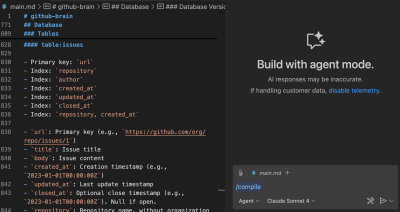
I coded my latest app entirely in Markdown and let GitHub Copilot compile it into Go. This resulted in cleaner specs, faster iteration, and no more context loss. ✨

Developers can use their AI tool of choice for spec-driven development with this open source toolkit.

How GitHub’s new MCP server and GPT-5 are revolutionizing developer workflows — with live build examples.

The role of junior developer is evolving. If you’re at this stage in your career, here’s how to keep up and stand out.

Learn how to integrate AI features with GitHub Models directly in GitHub Actions workflows.

Upgrade from a local MCP Docker image to GitHub’s hosted server and automate pull requests, continuous integration, and security triage in minutes — no tokens required.

More context can mean more attack surfaces for your projects. Be prepared for what lies ahead with this guide.
When it comes to merging code, developers will always make the final decision. But we’re rethinking how tools like GitHub Copilot can help.

What to look for with each model and how to test them in your workflows—with tips, tricks, and pointers.
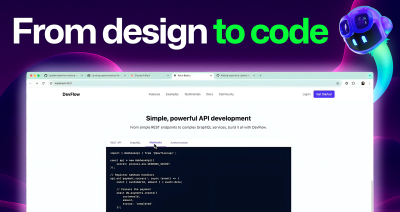
See how I built a developer-focused landing page in under 30 minutes using GitHub Copilot agent mode and Claude 3.5 Sonnet—with just screenshots and prompts.

GitHub Copilot can streamline your debugging process by troubleshooting in your IDE, analyzing pull requests, and more, helping you tackle issues faster and more robustly.

Build what’s next on GitHub, the place for anyone from anywhere to build anything.

Join us October 28-29 in San Francisco or online for GitHub Universe, our flagship developer event uniting people, agents, and the world’s code.

