Inline comments in GitHub for Visual Studio
GitHub for Visual Studio 2.3 adds the ability to comment on pull requests directly from your IDE. Simply open a pull request in the GitHub pane in Visual Studio, and…
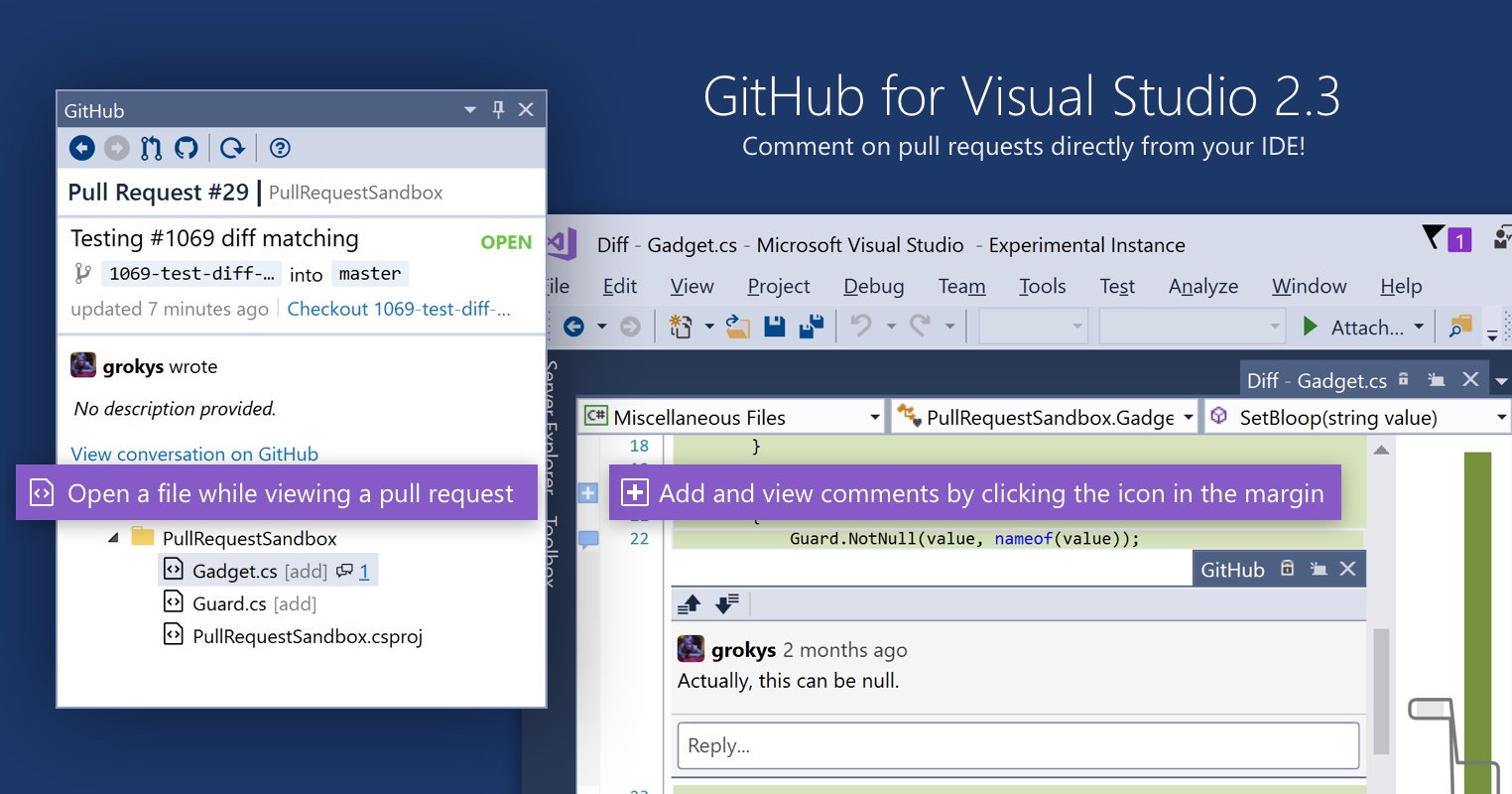
GitHub for Visual Studio 2.3 adds the ability to comment on pull requests directly from your IDE. Simply open a pull request in the GitHub pane in Visual Studio, and open a compare view, and you’ll see existing comments right there in the editor. Click the icon in the margin to add new comments.
The functionality is limited right now to adding single comments, but we’re hoping to bring the whole GitHub review experience right into Visual Studio soon!
On top of that, we’ve shipped a whole bunch of new features and bugfixes. To find out more check out the release notes.
Written by

Related posts

Take your local GitHub sessions anywhere
Kick off work in VS Code or the CLI, finish it from your phone. Remote control for GitHub Copilot sessions is now generally available on github.com and GitHub Mobile.

GitHub availability report: April 2026
In April, we experienced 10 incidents that resulted in degraded performance across GitHub services.

GitHub Copilot individual plans: Introducing flex allotments in Pro and Pro+, and a new Max plan
Starting June 1, our lineup of individual plans will update based on your feedback.