Introducing code owners
While effective code review is essential to every successful project, it’s not always clear who should review files—even with GitHub’s reviewer suggestions. Now repository maintainers can define exactly which people…
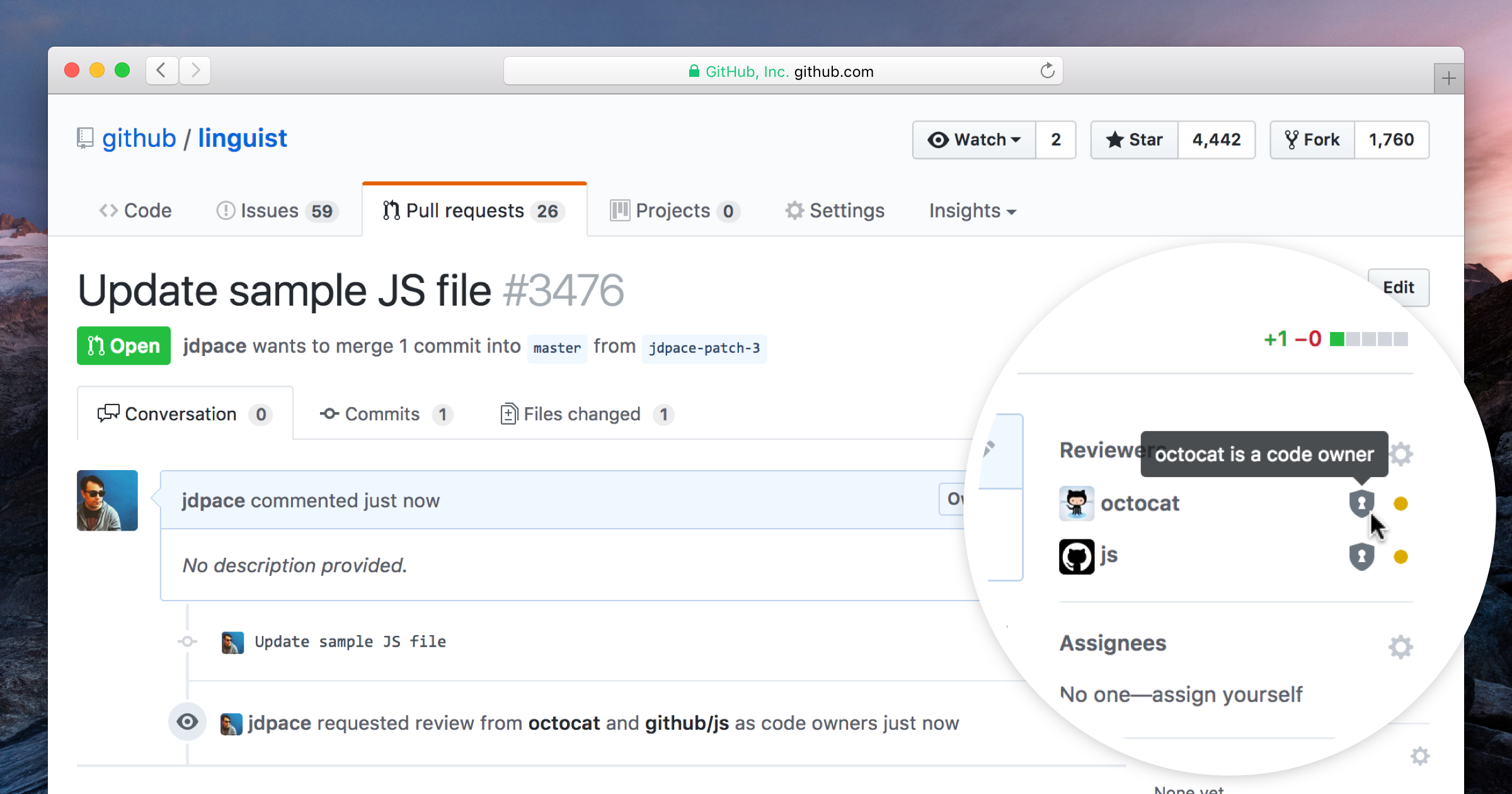
While effective code review is essential to every successful project, it’s not always clear who should review files—even with GitHub’s reviewer suggestions. Now repository maintainers can define exactly which people and teams need to review projects using code owners. This new feature automatically requests reviews from the code owners when a pull request changes any owned files.
How code owners work
To specify code owners, create a file named CODEOWNERS in the repository’s root directory (or in .github/ if you prefer) with the following format:
# Lines starting with '#' are comments.
# Each line is a file pattern followed by one or more owners.

# These owners will be the default owners for everything in the repo.
*       @defunkt

# Order is important. The last matching pattern has the most precedence.
# So if a pull request only touches javascript files, only these owners
# will be requested to review.
*.js    @octocat @github/js

# You can also use email addresses if you prefer.
docs/*  docs@example.com
This format may be familiar if you’ve used gitattributes.
With that in place, code owners will automatically be requested for review whenever a pull request touches the files they own.
An extra layer of code security
For projects with more rigorous review processes, we’ve also added a new protected branch option to ensure the right people have a chance to review.
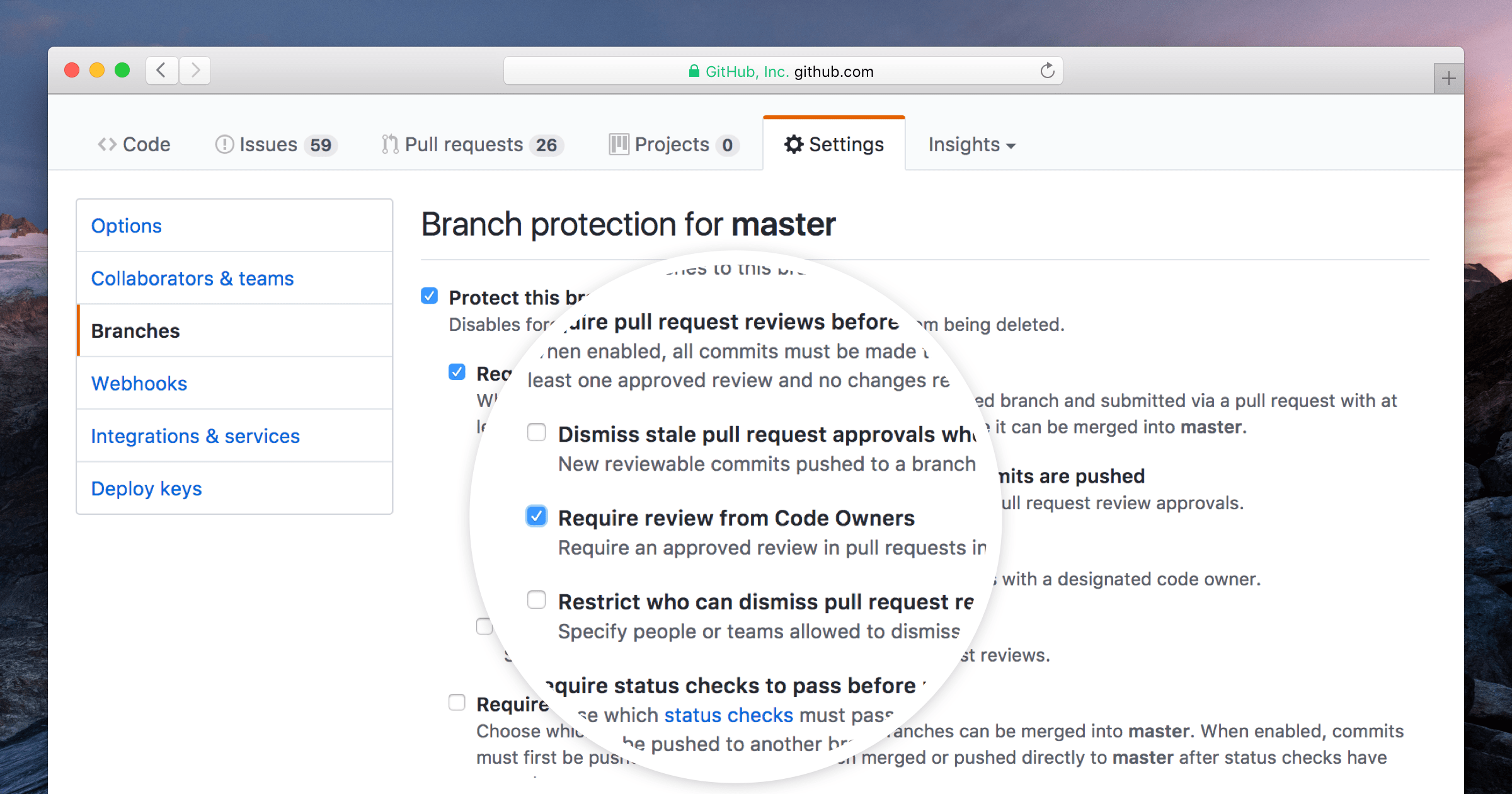
With protected branches enabled, a code owner for each owned file has to leave a review before anyone can merge a pull request to that branch.

We hope this helps make your review process even more effective. Let us know if you have any feedback on code owners using our help form.
The code owners feature was inspired by Chromium’s use of OWNERS files.
Written by

Related posts

10 technical talks I’m excited about at GitHub Universe 2026
From verifying AI-written code to securing npm dependencies, these are the sessions I’m building my Universe agenda around.

Developer policy update: Transparency, state policy, and what’s ahead
Explore GitHub’s latest transparency data and learn more about policy updates affecting developers and open source.

Developers want more efficient software. Here’s what over 1,000 GitHub users told us they need.
New research from GitHub and Yale Program on Climate Change Communication finds strong demand for tools, measurement, and practical guidance that can help developers reduce wasted compute.