GPG signature verification
When you’re building software with people from around the world, sometimes it’s important to validate that commits and tags are coming from an identified source. Git supports signing commits and…

When you’re building software with people from around the world, sometimes it’s important to validate that commits and tags are coming from an identified source. Git supports signing commits and tags with GPG, and starting today GitHub will show you when commits and tags are signed.

When you view a signed commit or tag, you will see a badge indicating if the signature could be verified using any of the contributor’s GPG keys uploaded to GitHub. You can upload your GPG keys by visiting the keys settings page.
Many open source projects and companies want to be sure that a commit is from a verified source. GPG signature verification on commits and tags makes it easy to see when a commit or tag is signed by a verified key that GitHub knows about.
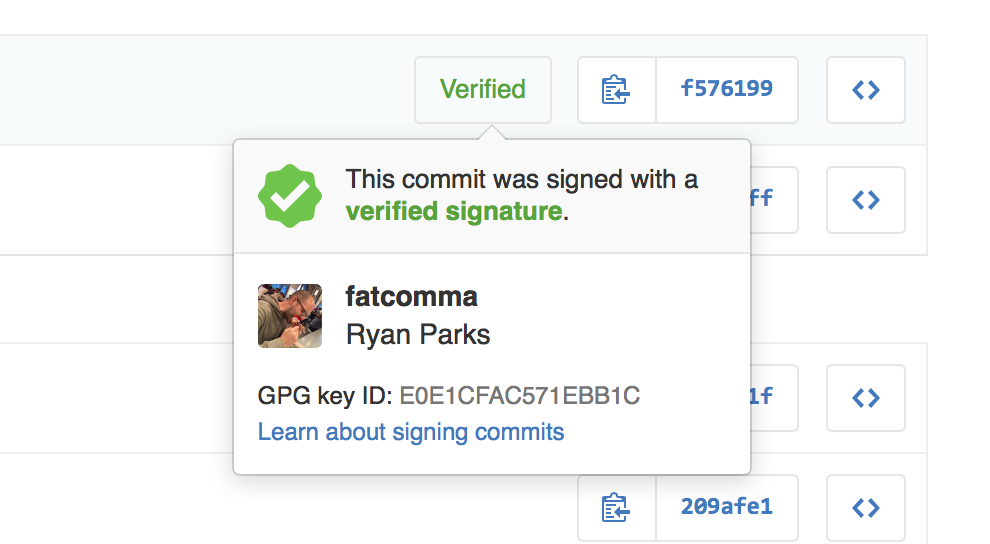
To learn more about how to generate a GPG key and start signing your work, read our GPG documentation articles.
Written by

Related posts

How we found 24 Android vulnerabilities using our open source AI security agent
A look at the targeted AI taskflows behind these findings, the critical Android bugs they uncovered, and how to run the same open-source agent on your own app.

AI-powered fuzzing with the GitHub Security Lab Taskflow Agent
In this blog post, I explain how to use the new fuzzing taskflow based on the GitHub Security Lab Taskflow Agent AI framework.

OpenClaw went viral. Meet the maintainers building and securing it.
OpenClaw is the fastest-growing project in GitHub history. Peter Steinberger and several maintainers share what they learned in the project’s first six months.