Introducing a simpler, faster GitHub for Mac
Following the recent release of GitHub for Windows 2.0, we’ve been working hard to bring our two desktop apps closer together. We’ve just shipped a significant new update to GitHub…
Following the recent release of GitHub for Windows 2.0, we’ve been working hard to bring our two desktop apps closer together.
We’ve just shipped a significant new update to GitHub for Mac, with simplified navigation and a renewed focus on your cloned repositories.
With this update, you’ll be able to spend less time navigating lists of respositories, and more time focusing on your repositories and your branches.
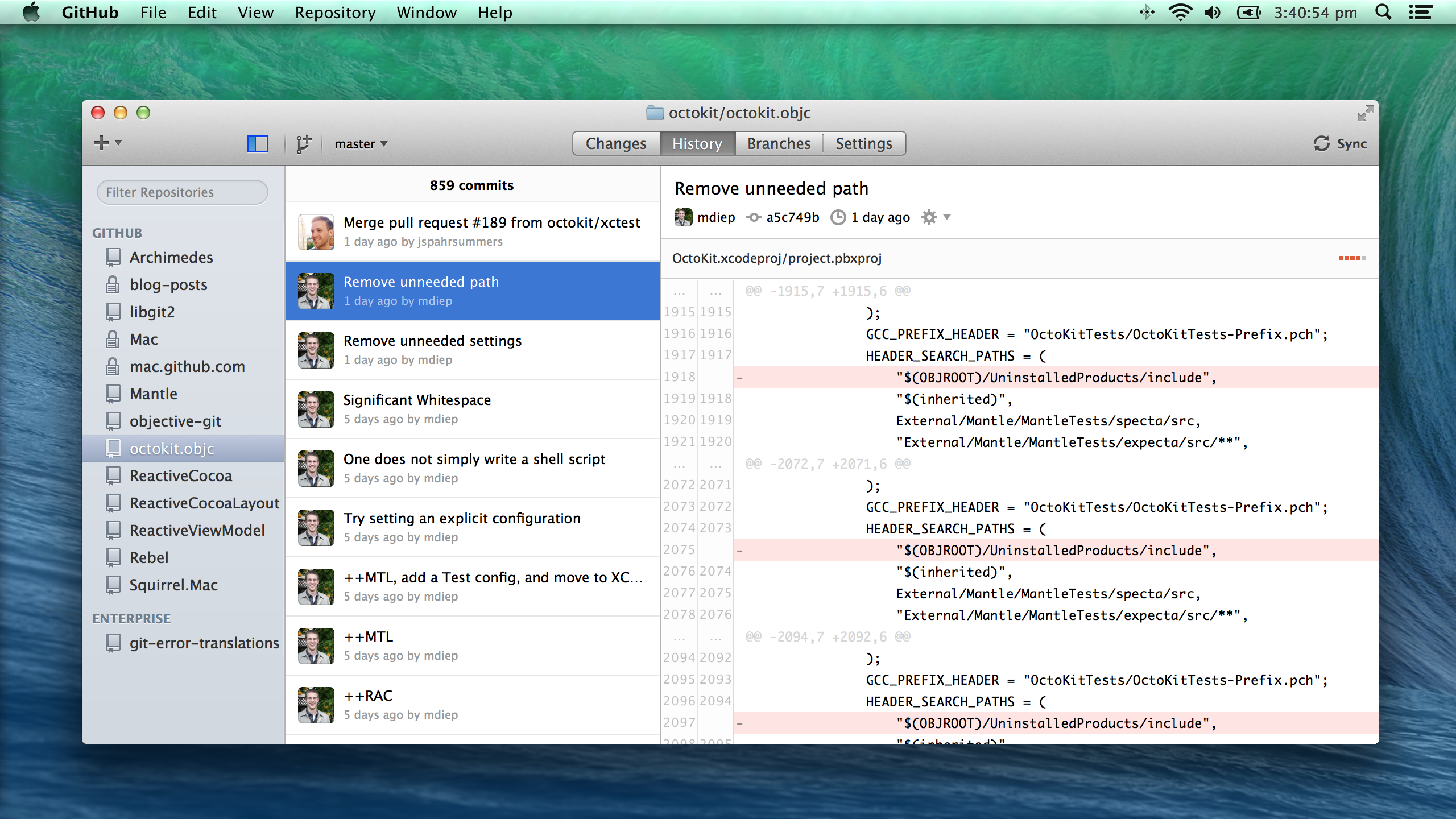
Simplified Navigation
The sidebar now features all your repositories grouped by their origin, and the new toolbar lets you create, clone, and publish additional repositories quickly. You can also press ⇧⌘O to filter local repositories from those associated with GitHub or GitHub Enterprise, and switch between them.
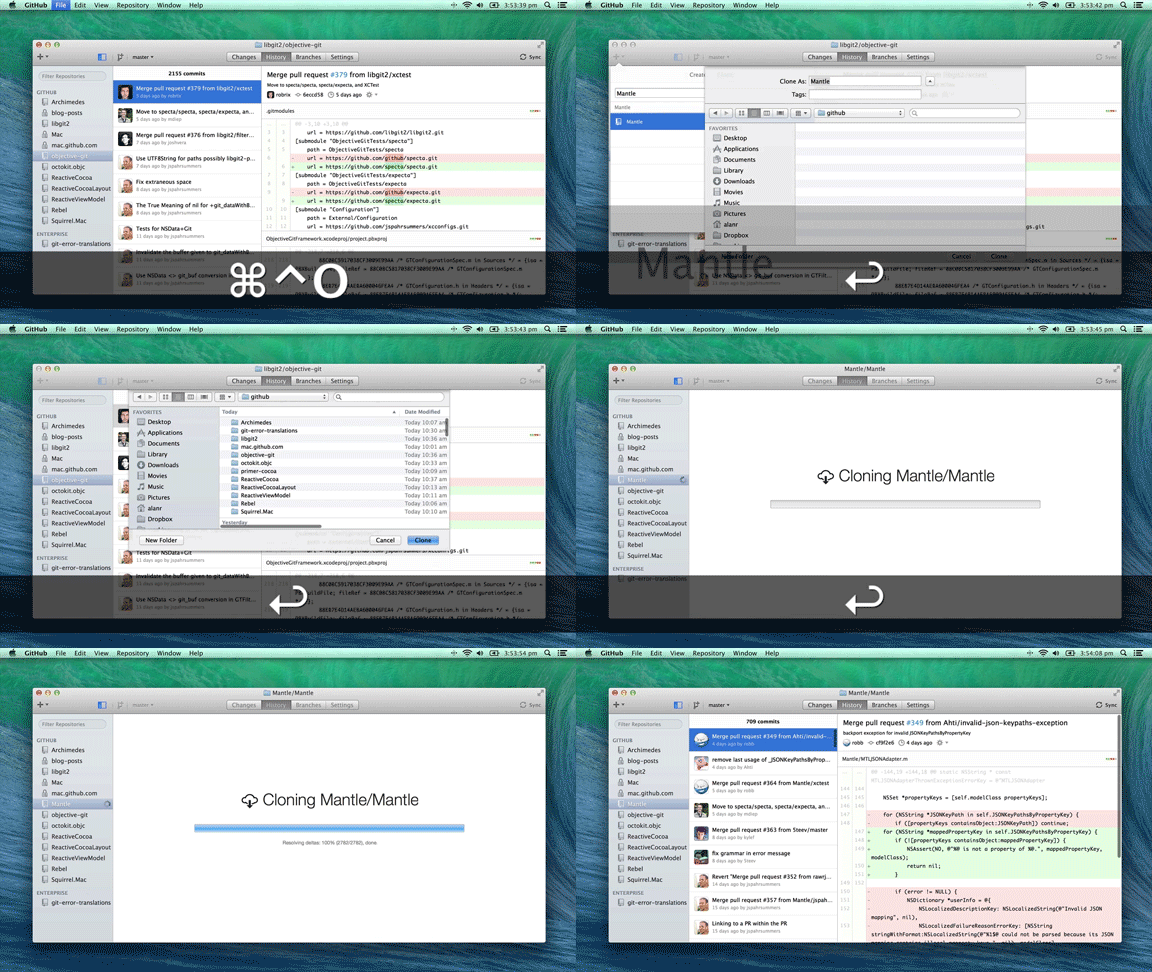
Cloning repositories from GitHub
Fewer steps are required to clone repositories from GitHub Enterprise or GitHub.com. You can now press ⌃⌘O, type the repository name, and then press Enter to clone the repositories you want and need.
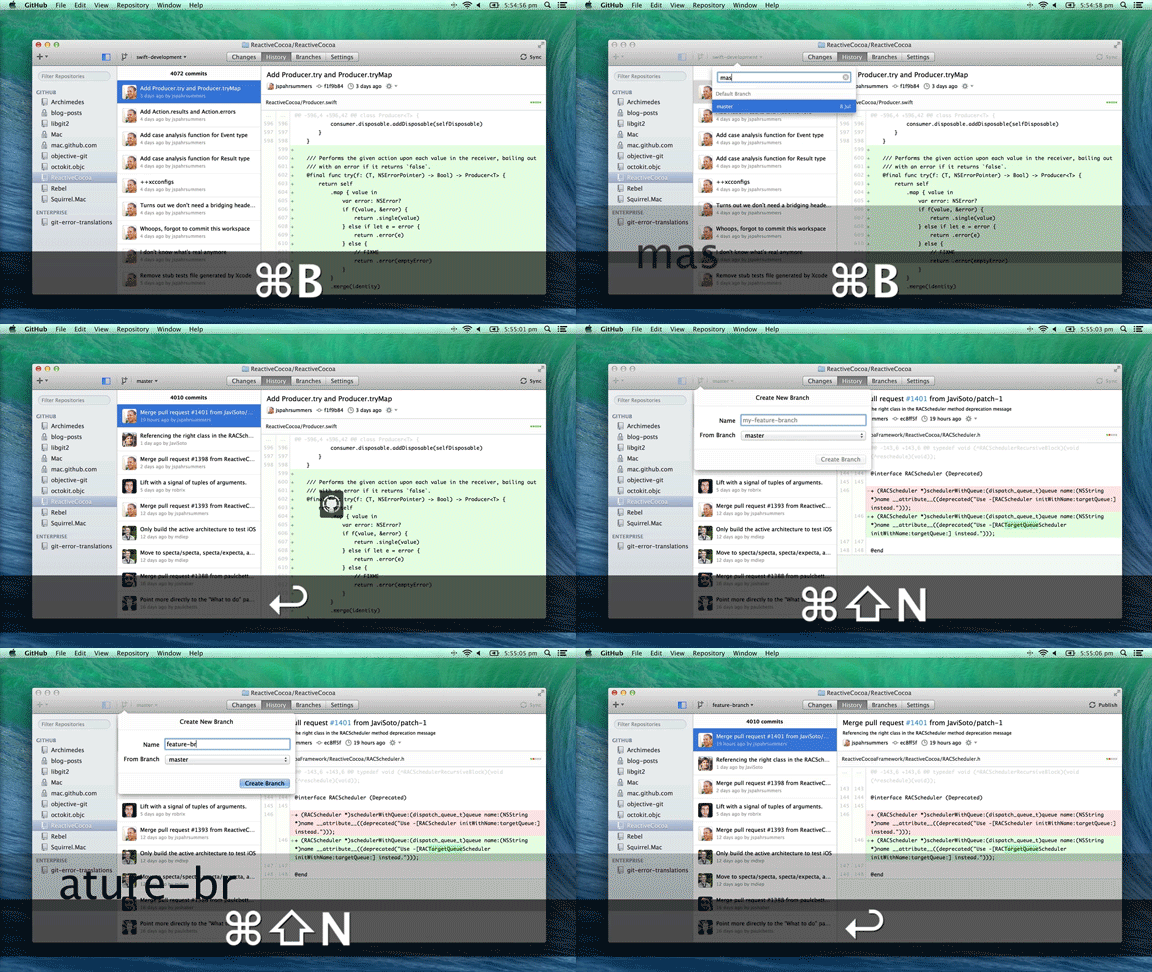
Switching and creating new branches
The branch popover (⌘B) has moved to the new toolbar, and now has a “Recent Branches” section that provides a convenient way to switch between all of your in-progress branches.
Branch creation (⇧⌘N) has moved to its own popover, and you can now create a new branch from any existing branch.
How do I get it?
GitHub for Mac will automatically update itself to the latest version. To update right away, open the “GitHub” menu, then “Check For Updates…”, or visit mac.github.com to download the latest release.
NOTE: This release and future releases of GitHub for Mac require OS X 10.8 or later. If you are still running OS X 10.7, you will not be updated to this release.
Feedback
We’d love to hear what you think about this release. If you have any comments, questions or straight-up bug reports, please get in touch.
Written by

Related posts

GitHub availability report: February 2026
In February, we experienced six incidents that resulted in degraded performance across GitHub services.

Addressing GitHub’s recent availability issues
GitHub recently experienced several availability incidents. We understand the impact these outages have on our customers and are sharing details on the stabilization work we’re prioritizing right now.

GitHub availability report: January 2026
In January, we experienced two incidents that resulted in degraded performance across GitHub services.