Contributing Guidelines
Oftentimes open source projects place a CONTRIBUTING file in the root directory. It explains how a participant should do things like format code, test fixes, and submit patches. Here is…
Oftentimes open source projects place a CONTRIBUTING file in the root directory. It explains how a participant should do things like format code, test fixes, and submit patches. Here is a fine example from puppet and another one from factory_girl_rails. From a maintainer’s point of view, the document succinctly communicates how best to collaborate. And for a contributor, one quick check of this file verifies their submission follows the maintainer’s guidelines.
Contributors Wanted: Inquire Within
Today we added support for sharing your preferred policy for contributions with the folks wanting to collaborate with you on your project.
We’ve tried making this easy for everyone. As a maintainer, all you have to do is add a CONTRIBUTING file (or CONTRIBUTING.md if you’re using Markdown) to the root of your repository. Then we will add a link to your file when a contributor creates an Issue or opens a Pull Request.
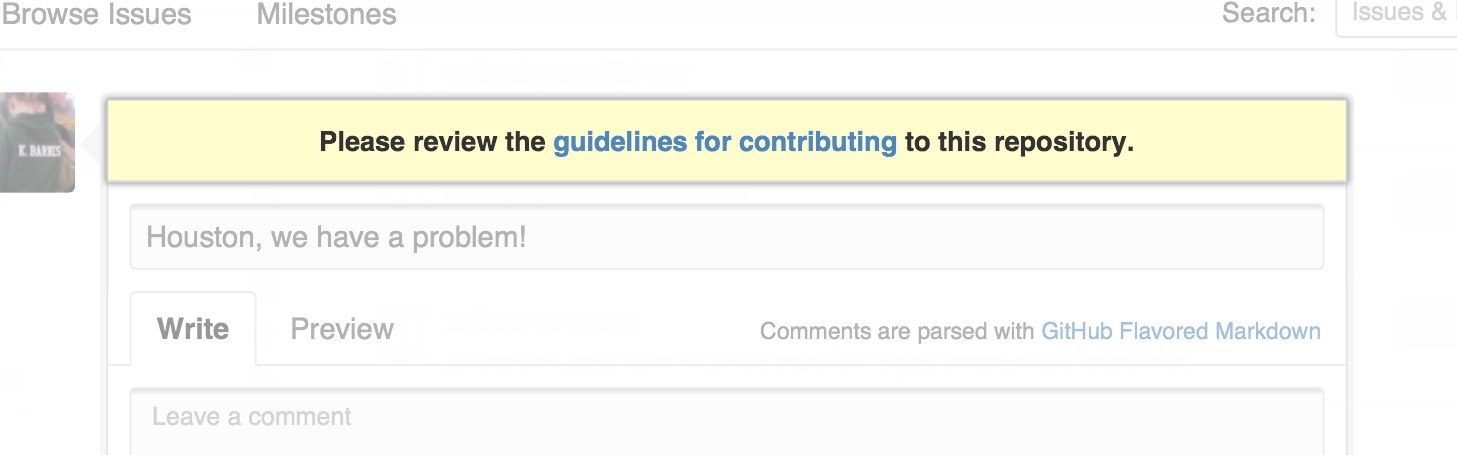
Now, as soon as your collaborators start participating, they can easily find the guidelines you’d like them to follow.
If you don’t see a CONTRIBUTING file in your favorite project, open a pull request and add one.
Written by

Related posts

The next developer interface is ambient intelligence
AI, agents, voice, and physical controls are shifting software development from operating tools to expressing intent—and helping developers stay focused on building.

GitHub availability report: September 2026
In September, we experienced two incidents that resulted in degraded performance across GitHub services.

10 technical talks I’m excited about at GitHub Universe 2026
From verifying AI-written code to securing npm dependencies, these are the sessions I’m building my Universe agenda around.